Instagram Reels are full of beauty routines, but a Reel rarely tells you what you're looking at: captions get cut off and "link in bio" can mean anything. Here's how to get the exact products from any Instagram Reel or post with SaveAI, step by step.
Key takeaways
- Copy the Reel or post link from Instagram's Share menu: that's all SaveAI needs.
- SaveAI detects every visible skincare and makeup product and lists them with brand and name.
- Posts with several photos work too: SaveAI checks each one.
- Browse the shop and creator profiles to see products creators already use.
In this guide
Get every product from a Reel with SaveAI
SaveAI works with Instagram Reels and posts the same way it does with TikTok. It watches the video, recognizes the beauty products by their packaging, and gives you the full list with brand names.
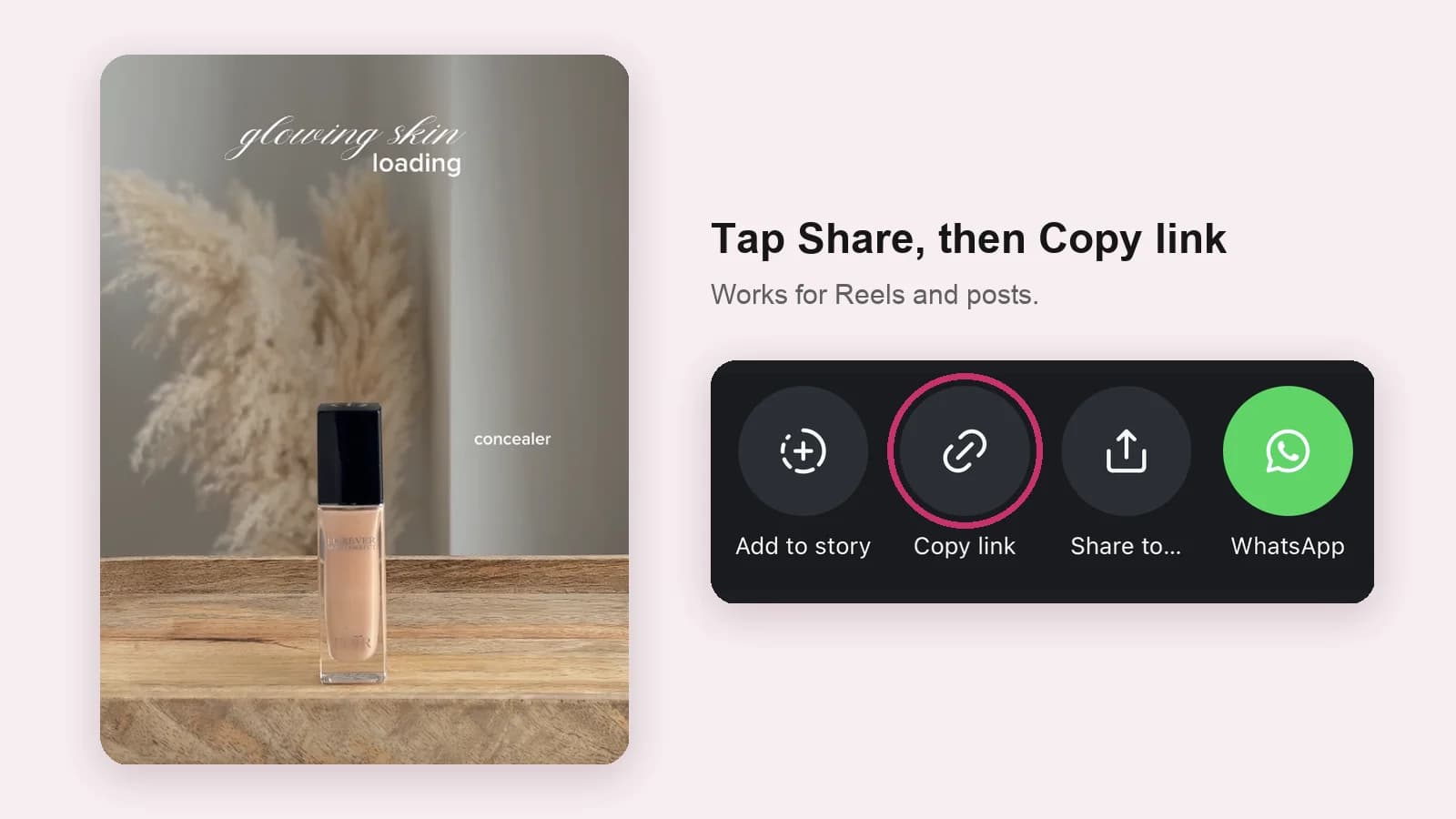
Copy the link
Tap the paper-plane Share icon on the Reel or post, then Copy link.
Paste it into SaveAI
Paste the link into the search box on savebeautyproducts.com or in the SaveAI app.
See every product
SaveAI lists each skincare and makeup product it detects, so you can save the routine or open each product to shop it.
Check the creator's profile on SaveAI
Popular Reels may already have been scanned. Every creator on SaveAI has a profile listing every product found across their routines and the brands they use most, so you can see their whole product shelf at once. Browse the influencer feed for the latest scanned routines.
Shop what Instagram creators use
Every product spotted in a scanned routine ends up in the SaveAI shop. Each card shows how many creators use the product, so the most loved products rise to the top. Browse by category, like eye makeup or moisturizers, or by brand.
What SaveAI can scan on Instagram
| Instagram content | Works with SaveAI? |
|---|---|
| Public Reels | Yes |
| Public posts with one or several photos | Yes, every photo is checked |
| Private accounts | No, the link only opens for followers |
For TikTok, see our guide on how to find products from a TikTok video.
Frequently asked questions
How do I find out what products someone used on Instagram?
Copy the Reel or post link from Instagram's Share menu and paste it into SaveAI, which identifies every visible beauty product.
Can SaveAI analyse Instagram posts with several photos?
Yes. SaveAI supports Instagram Reels and posts containing beauty or skincare products.
Why can't I find products from a private Instagram account?
Private posts are only visible to approved followers, so SaveAI can't open them. Only public Reels and posts can be scanned.
Is finding products from Instagram free?
SaveAI's video analysis is free to start, with a premium plan for heavy use. Browsing the shop and creator profiles is free.
This guide is for general information only and isn't medical advice. If you have a skin condition or a reaction to a product, talk to a dermatologist.
More guides in TikTok & Trends